

USB-C changed the travel adapter question. A few years ago, most travelers only asked which plug shape fit Europe, the UK, Australia, or Japan. In 2026 the real question is broader: can one compact adapter charge a laptop, phone, tablet, camera battery, earbuds, and watch from one hotel outlet without creating a voltage mistake?
That is why a generic “top adapters” list is not enough. A phone-only traveler, a MacBook Air traveler, and a 16-inch MacBook Pro traveler should not automatically buy the same wattage. The right choice starts with your device label, then your heaviest USB-C device, then how many devices you charge at once.
First Check the Label: USB-C Adapter or Voltage Converter?
Before comparing 70W, 100W, and 140W, look at the input label on every device or charger you plan to plug in. If it says Input: 100-240V, 100-250V, or similar, that device is wide-voltage and usually needs plug adaptation plus USB-C charging convenience, not voltage conversion.

A USB-C travel adapter has two different sides. The USB-C side converts wall power into low-voltage USB-C output for electronics. The AC outlet side does not step 230V down to 120V. It passes the wall voltage through to whatever you plug into it. That is why a phone charger may be fine in Europe, while a 120V-only hair dryer may fail or overheat through the same adapter.
Why USB-C Wattage Matters More Than Port Count
Port count is easy to compare, but wattage decides how the adapter feels in real use. A charger with five ports can still disappoint if the main laptop port drops too low when a phone and tablet are connected. A smaller adapter can be perfect if your heaviest device is only a phone or tablet.
USB Power Delivery lets a device and charger negotiate the power the device can accept. USB-IF explains that USB PD allows more flexible power delivery over USB Type-C, with higher-power modes extending beyond the older 100W ceiling. The practical result is simple: a phone will only take phone-level power, while a high-power laptop may need 100W or 140W to charge quickly under load. Reference: USB-IF USB Power Delivery.
Cable capability matters too. USB-IF notes that USB-C cables are marked by power capability such as 60W or 240W in certified programs. If you buy a high-watt adapter but use a lower-rated cable, the adapter may not deliver the charging speed you expected. A built-in USB-C cable helps reduce that packing mistake, but any extra cable still needs to match the laptop’s charging need. Reference: USB-IF Cables and Connectors.
Figure 1: Choose adapter wattage by the heaviest USB-C device you actually bring, not by port count alone.
| Device mix | Typical pressure point | Better adapter class |
|---|---|---|
| Phone + earbuds + watch | Not power, mostly convenience | Compact charger or 70W if you want one travel hub |
| Phone + tablet + camera battery | Several small devices overnight | 70W GaN travel adapter |
| Phone + one USB-C laptop | Laptop speed when other ports are used | 100W GaN travel adapter |
| 16-inch MacBook Pro + phone | Fast charging under heavy load | 140W GaN travel adapter |
| Family devices at night | One adapter becomes the bottleneck | 100W or 140W plus a backup charger |
What GaN Helps With, and What It Does Not
GaN is useful because it lets a charger carry higher output in a smaller body than older silicon designs. That is why many 2026 travel adapter lists, including WIRED’s updated travel adapter guide, now focus heavily on GaN universal adapters, USB-C ports, and laptop charging. Other 2026 buying guides from Kit Authority, Android Central, and The Gadgeteer show the same market direction.
But GaN is not magic. It does not change a country’s wall voltage. It does not make a single-voltage appliance safe. It does not guarantee grounding. It does not mean every port delivers the maximum number at the same time. Treat GaN as a compact fast-charging technology, not a safety shortcut.
DOACE 4-Check for USB-C Travel Adapters
Shape
Does the adapter include the plug system for your route? DOACE GaN travel adapters cover Type A, Type C, Type G, and Type I plug styles for many common destinations. Still check special plug countries before departure with the World Plug Types guide.
Voltage
Wide-voltage electronics marked 100-240V usually need adapter and charging convenience. Single-voltage appliances need a converter decision. The AC outlet on a travel adapter is not stepped down.
Load
Look at the highest-power USB-C device and the per-port split. A 100W adapter may be excellent for one laptop, but simultaneous devices can change how power is shared.
Use Case
A weekend tourist, business traveler, creator, and family group need different setups. Match the adapter to the trip, not only to the largest printed wattage.

70W vs 100W vs 140W: Which One Should You Choose?
Figure 2: A practical selection path for DOACE 70W, 100W, and 140W GaN travel adapters.
Choose 70W if you pack light
A 70W GaN travel adapter makes sense when your device mix is mostly phone, tablet, earbuds, smartwatch, camera battery, and perhaps a smaller USB-C laptop. It reduces cable clutter without forcing you into a larger pro-level charger.

DOACE 70W GaN 3.0 Travel Adapter
Best fit: light trips, phones, tablets, camera batteries, and smaller USB-C laptop setups.
Not for: high-power laptop fast charging, single-voltage appliances, or any situation where you need voltage conversion or grounding that the device does not provide.
Choose 100W for most one-laptop trips
100W is the practical middle. It gives more laptop headroom than 70W without making every traveler pay for a 140W pro setup. If you carry one USB-C laptop plus phone, tablet, or camera gear, this is the class I would start with.

DOACE 100W GaN International Power Adapter
Best fit: one laptop, one phone, and a few smaller USB devices on business or study-abroad trips.
Not for: two high-power laptops at once, 120V-only appliances, or destinations where you need a plug style outside the adapter’s supported set.
Choose 140W when the laptop is the trip
140W earns its place when the laptop is mission-critical: a 16-inch MacBook Pro, a creator setup, a remote-work trip, or two larger USB-C devices sharing one outlet. Apple’s MacBook fast charge page lists 140W combinations for 16-inch MacBook Pro fast charging, which is the kind of scenario where the extra headroom is real. Reference: Apple MacBook fast charge support.
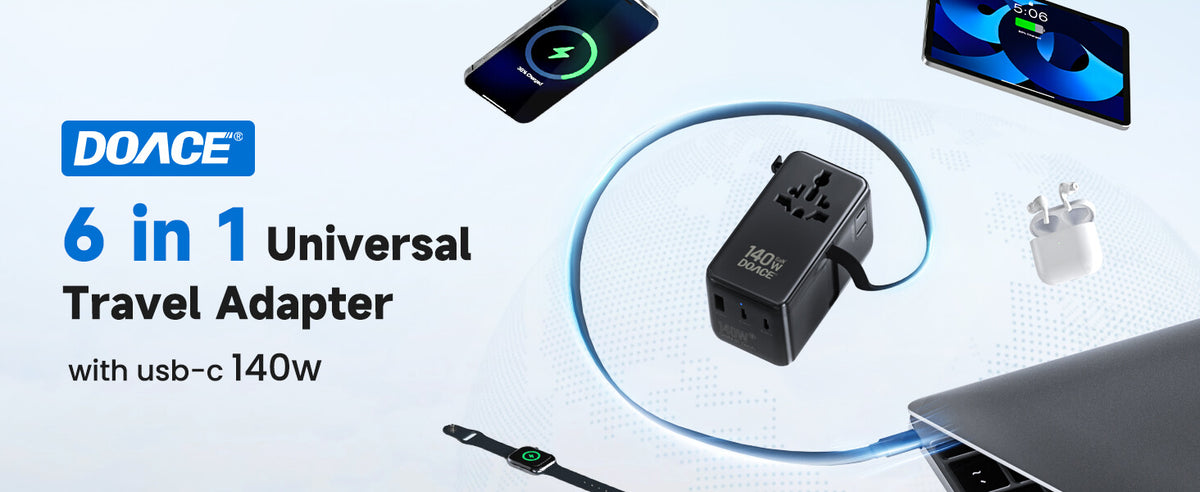
DOACE 140W GaN 3.0 Travel Adapter
Best fit: high-power laptops, creators, remote work, and heavier multi-device charging.
Not for: phone-only travel, small devices that cannot use the extra wattage, or any single-voltage appliance that needs a real converter.
When Not to Buy More Adapter Than You Need
The honest answer is that some people do not need a high-watt universal adapter. If you only carry a phone and earbuds, a compact charger plus the correct plug adapter may be enough. If you bring one light laptop and rarely charge other devices at the same time, 70W may be more sensible than 140W.
The opposite mistake is just as common: buying a powerful GaN adapter and assuming it protects everything. A 120V-only appliance is still a 120V-only appliance. A high-watt AC outlet rating does not mean voltage conversion. If you are packing hair dryers, curling irons, electric kettles, medical devices, audio gear, or anything with a motor or heating element, check the label and manufacturer guidance before treating it as adapter-safe.
| Traveler type | Better setup | Why |
|---|---|---|
| Phone-only tourist | Compact charger or 70W if you want one hub | The main need is convenience, not laptop-level wattage. |
| Light laptop traveler | 70W or 100W | Choose 100W if you want more margin while charging a phone or tablet. |
| Business traveler | 100W | One laptop plus smaller devices is the 100W sweet spot. |
| Creator or remote worker | 140W | High-power laptop charging and multi-device use justify the extra output. |
| Family trip | 100W or 140W plus backup charger | One adapter becomes a traffic jam when everyone plugs in at night. |
| Hair tool traveler | Adapter only if dual-voltage; otherwise converter decision | USB-C adapter output does not protect a 120V-only appliance. |
A Practical 3-Minute Buying Test
If you are standing in front of a product page and trying to choose quickly, use this three-step test. It is more reliable than starting with brand names, country count, or the biggest wattage printed on the box.
Step 1: separate USB-C devices from AC devices. Your phone, tablet, earbuds, camera battery charger, and USB-C laptop usually charge from USB-C or from their own power brick. These are the devices a GaN travel adapter is built to simplify. A hair dryer, curling iron, electric shaver dock, toothbrush base, CPAP humidifier, kettle, game console, speaker, or medical device may use AC power directly. Those devices need a label check before they touch a foreign outlet.
Step 2: find the heaviest USB-C device. Do not add every small device first. Start with the one device that creates the most pressure. For a phone-only trip, that device may be a 20W-30W phone. For a student, it may be a tablet or MacBook Air. For a business trip, it is usually a laptop. For a creator, it may be a high-power MacBook Pro or Windows workstation. Once you know the heaviest USB-C device, the adapter class becomes much clearer.
Step 3: decide whether simultaneous charging matters. A 70W adapter can be a strong pick for one smaller laptop or several small devices, but it may feel tight if you expect laptop charging, phone charging, and tablet charging at the same time. A 100W adapter is more comfortable for one-laptop trips. A 140W adapter is useful when the main laptop must charge quickly while another device is also connected.
| Your answer | Likely choice | Reason |
|---|---|---|
| No laptop, only small electronics | 70W or smaller | The main benefit is fewer charger bricks, not maximum output. |
| One laptop, normal work, phone and tablet | 100W | Enough headroom for most one-laptop travel without jumping to a pro setup. |
| High-power laptop, video work, long calls, dual devices | 140W | Extra headroom reduces slow charging when the laptop is under load. |
| A 120V-only appliance is in the bag | Do not solve it with a GaN adapter | That is a voltage-converter decision, not a USB-C adapter decision. |
This test also helps prevent overbuying. A 140W adapter is not unsafe for a phone, because the phone only takes the power it can negotiate, but it may be unnecessary size and cost. The better question is not “what is the strongest adapter?” It is “what is the smallest adapter that still keeps my trip working?”
How Port Splitting Changes Laptop Charging
The most common disappointment with multi-port USB-C travel adapters is not that they fail completely. It is that a laptop charges slower than expected after the second or third device is connected. That happens because the printed maximum wattage is usually a total system number or a single-port maximum, not a promise that every port can deliver maximum power at the same time.
Imagine a traveler who buys a 100W adapter for a laptop. Used alone, the main USB-C output may be able to support the laptop well. Later that night, the traveler plugs in a phone, tablet, and camera battery. The adapter may split output across ports, leaving less available to the laptop. The laptop may still charge, but more slowly. During a video call, editing session, or cloud backup, it may even hold steady instead of gaining battery quickly.
This is why port layout matters. A built-in USB-C cable can be helpful because it creates a clear “main device” path and reduces the chance of forgetting a suitable cable. Extra USB-C and USB-A ports are useful for phones and accessories, but they should not be treated as unlimited independent chargers. When you compare products, look for the main high-output path first, then treat the smaller ports as supporting roles.
For a DOACE 70W setup, the main question is whether your laptop really belongs in the light-laptop category. For a DOACE 100W setup, the question is whether one laptop plus smaller devices is the normal pattern. For a DOACE 140W setup, the question is whether your laptop remains the priority even when other devices are connected. That is the honest difference between the three classes.
Destination Plug Coverage Still Matters
USB-C wattage solves charging speed. It does not make every wall outlet physically compatible. A universal travel adapter may cover common Type A, Type C, Type G, and Type I routes, which is enough for many U.S. travelers visiting Europe, the United Kingdom, Australia, parts of Asia, and North America. But “many” is not “all.” Some countries use less common plug systems, some hotels have recessed outlets, and some older buildings have awkward wall plates that make bulky adapters harder to seat.
For example, continental Europe commonly uses Type C and Type F style outlets, while the United Kingdom uses Type G. Australia and New Zealand use Type I. The United States and Japan use Type A and Type B, though voltage and grounding details still differ. Switzerland, Denmark, South Africa, Italy, Brazil, and Israel can introduce extra plug-shape questions depending on the exact outlet and device plug. A universal adapter can reduce how many pieces you carry, but it does not remove destination checking.
Outlet depth is another real-world issue. A compact adapter that works in a flat wall outlet may sit poorly in a recessed European socket. A heavy charger with several cables can sag if the wall outlet is loose or mounted behind furniture. If you know your route includes older hotels, Airbnb stays, trains, or conference centers, pack one short extension cable or a backup country-specific adapter only if local rules and voltage ratings allow it.
This is also where grounding confusion starts. Many USB-C travel adapters are built mainly for electronics charging and plug adaptation. They should not be described as giving a grounded safety path unless the product specifically provides and documents that function. For the DOACE 70W/100W/140W GaN travel adapters in this comparison, the safer public advice is to treat them as travel charging adapters for suitable wide-voltage electronics, not as grounding solutions for appliances.
If plug shape is the main uncertainty, check the DOACE World Plug Types guide before buying. If voltage is the uncertainty, check the device label first. If both are uncertain, do not rush the purchase based on a single country-count claim.
Adapter-Only Path vs Converter Path
A good USB-C travel adapter purchase has an exit door. The moment a device is not wide-voltage, it should leave the adapter-only path and move into a converter or transformer decision. This is the part many simple shopping lists skip, and it is where travelers make expensive mistakes.
The adapter-only path is for devices whose own charger or power supply already accepts the destination voltage. A laptop charger marked 100-240V can usually handle Europe’s 230V supply. A phone charger marked 100-240V can usually handle the same. A camera battery charger with worldwide input can usually use a plug adapter. In those cases, the DOACE GaN adapter is helping with plug shape, USB-C output, cable reduction, and multi-device convenience.
The converter path begins when the device label is narrow: 110V, 120V, 125V, or 120V only. In a 220-240V country, a plug adapter does not make that device safe. A converter may be possible for some compatible loads, but not every device should be converted. Heating tools, smart motors, electronically controlled appliances, medical devices, and high-watt appliances all require more caution than a simple wattage match.
There is also a third path: leave the device at home or buy locally. This matters for high-risk appliances such as certain hair dryers, kettles, irons, and smart beauty tools. A converter that technically matches wattage may still be a poor travel choice because of heat, duty cycle, manufacturer restrictions, hotel rules, or outlet limitations. If the device is expensive, safety-critical, or hard to replace, the conservative choice may be to avoid converting it.
| Device label or device type | Path | What to do |
|---|---|---|
| Input 100-240V phone charger | Adapter-only | Use a USB-C travel adapter or plug adapter that fits the destination. |
| Input 100-240V laptop charger | Adapter-only | Choose 70W, 100W, or 140W based on laptop demand and device count. |
| 120V-only hair dryer | Not adapter-only | Do not plug into 230V through a GaN adapter; consider local purchase or a carefully matched solution. |
| CPAP or medical device | Manual-first | Check the official power supply label and manufacturer guidance before choosing any adapter or converter. |
| Unknown label | Stop | Do not guess. Find the label, manual, or manufacturer page first. |
This separation is not anti-product. It is the reason a product recommendation becomes trustworthy. A GaN adapter is excellent when the device belongs on the adapter-only path. It is the wrong tool when the device needs voltage conversion.
What I Would Pack for Common Trips
A good setup is not just one product. It is the smallest combination that covers the trip without making one outlet do impossible work. These examples show how the 70W, 100W, and 140W choices translate into real packing decisions.
Weekend city trip with phone, watch, and earbuds
This traveler does not need a large adapter. A 70W GaN adapter is already generous because the real problem is convenience and plug shape. If the trip is short and no laptop is coming, the goal is a compact setup that can charge small devices overnight. A 100W or 140W model may still work, but it is not necessary unless the traveler wants one adapter to cover future laptop trips too.
Study-abroad arrival with laptop, tablet, and phone
This is where 100W becomes attractive. A student may spend the first nights in hotels or dorms with limited outlet access, while a laptop and phone both need to stay ready. If the laptop is a lighter USB-C model, 70W can be enough. If the student wants a stronger one-piece setup that handles laptop plus phone without much thought, 100W is the safer middle.
Business travel with one work laptop
For a single work laptop, phone, and maybe a tablet, 100W is the cleanest recommendation. It avoids the common problem of a small charger that keeps the laptop alive but does not refill it quickly between meetings. It also avoids the bulk of 140W when the traveler does not really need pro-level output.
Creator trip with a high-power laptop
Video editing, photo export, 3D work, long calls, external drives, and cloud sync can make a laptop draw more power while in use. This is where 140W has a real job. The user is not buying it for bragging rights; they are buying headroom. Pair it with a suitable cable and keep a backup charger or cable in the bag because the laptop is central to the trip.
Family vacation with many small devices
Families often underestimate the night-charging problem. One phone, one tablet, and one watch is easy. Four phones, two tablets, earbuds, cameras, and a laptop can turn one adapter into a bottleneck. A 100W or 140W adapter can be the main charging hub, but a second compact charger usually makes the setup calmer and more reliable.
Trip with hair tools or appliances
Do not let a USB-C purchase hide the appliance question. If a curling iron or hair dryer is dual-voltage and marked for the destination voltage, the adapter may only need to solve plug shape. If it is 120V only, a GaN travel adapter is not the answer. For many high-watt hair tools, local purchase or hotel-provided equipment may be simpler than traveling with a converter.
How This Differs From Popular Travel Adapter Lists
Popular travel adapter rankings are useful when you want a quick shortlist. They often compare size, price, country coverage, number of USB ports, and whether a product feels sturdy in a wall outlet. Those details matter. A loose plug, bulky body, or weak port layout can ruin an otherwise promising adapter. But a list can still leave out the hardest part of the decision: whether the adapter is the right kind of tool for your actual devices.
A ranking may call something “best overall” because it works for many countries and includes USB-C. That does not automatically mean it is the best choice for a person carrying a high-power laptop. Another ranking may favor a tiny adapter because it packs well. That does not automatically make it enough for a laptop, tablet, phone, and camera charger together. A third list may mention voltage conversion in a short note, but the warning appears after the shopping recommendation instead of before it.
The DOACE approach in this piece is different: start with the device label, then the heaviest USB-C device, then simultaneous charging, then destination fit. This puts the safety check before the product recommendation. It also makes the 70W/100W/140W decision less arbitrary. The 70W model is not a “cheap pick”; it is the light-trip pick. The 100W model is not just the middle price; it is the one-laptop sweet spot. The 140W model is not automatically better; it is the pro or heavy multi-device pick.
This difference matters because the word “universal” can be misleading. Universal usually means broad plug-shape coverage. It does not mean every destination outlet is perfect, every appliance is safe, every cable is high-power, or every port can deliver the full number simultaneously. A careful purchase keeps those ideas separate. Shape is one question. Voltage is another. USB-C output is another. Device load is another.
That is also why the best result may be a mixed setup. A serious remote worker may use a 140W GaN adapter as the main charger, a small backup charger for the phone, and a country-specific plug adapter for an unusual stop. A light tourist may use only a 70W adapter and no backup. A family may use one 100W hub plus a second compact charger. The best travel adapter is not the same object for every suitcase.
Cable, Backup, and Safety Checklist Before You Leave
The last check is not glamorous, but it prevents most travel charging headaches. Do it before packing day, not at the airport. First, test the adapter at home with the same laptop and cables you plan to bring. If the laptop reports slow charging at home, it will not become faster in a hotel room. If a cable only supports a lower power level, swap it before the trip.
Second, pack at least one cable that matches the highest-power device. For phone and tablet charging, almost any decent USB-C cable may feel fine. For 100W or 140W laptop charging, the cable becomes part of the system. USB-IF’s cable marking guidance exists because higher-power charging is not just about the wall adapter; the cable must safely carry the negotiated power too. If the adapter has a built-in USB-C cable, that helps, but many travelers still use extra cables for phone, tablet, camera, or backup laptop charging.
Third, avoid turning one wall adapter into a power strip replacement. A travel adapter with several USB ports is meant to charge electronics. It is not an invitation to stack splitters, extension cords, power strips, and high-load AC devices from one hotel outlet. The more pieces you add, the harder it becomes to track total load, voltage compatibility, and mechanical stability. If you need more reach, choose a travel-safe cable arrangement rather than building a tower of adapters.
Fourth, check the destination plug shape for every country on the route, not just the first flight. Multi-country Europe trips are a common trap: one stop may use the common Europlug style, while another may introduce a grounded or recessed outlet issue. A universal adapter reduces the number of parts, but a route with Switzerland, Denmark, Italy, South Africa, Brazil, or Israel deserves a closer plug check. If your route includes cruises, trains, older hotels, dorms, or Airbnb stays, outlet access can be less predictable than a modern airport lounge.
Fifth, separate wall adapters from battery packs when thinking about flight rules. A USB-C wall adapter is not the same thing as a lithium power bank. Battery packs have airline battery limits and carry-on rules; wall adapters usually do not fall into that battery category. If you also pack a power bank, check airline and TSA guidance for lithium batteries. Do not use a wall-adapter page to make battery-pack decisions.
Finally, label the adapter role in your own packing list. Write “USB-C charger for 100-240V electronics,” not “converter.” That small wording change helps prevent someone else on the trip from plugging a 120V-only appliance into the AC outlet. A good travel adapter is convenient, but it should never become a shared mystery box in a hotel room.
| Before departure | What to check | Why it matters |
|---|---|---|
| Laptop test | Charge the laptop with the exact adapter and cable | Confirms the setup is strong enough before travel. |
| Cable rating | Use a cable suitable for the laptop’s power need | A weak cable can limit a strong adapter. |
| Device labels | Confirm 100-240V on AC devices | Prevents using an adapter where a converter decision is needed. |
| Route plugs | Check every destination, not only the first stop | Universal adapters cover many routes, not every outlet situation. |
| Backup plan | Pack one small extra charger or cable for important trips | Keeps one lost cable or crowded adapter from disrupting the trip. |
Common Buying Mistakes
- Buying by country count only. “Works in 200+ countries” does not tell you whether it can charge your laptop at the speed you expect.
- Confusing total wattage with port wattage. A multi-port adapter may split output when several devices are connected.
- Ignoring the cable. High-watt USB-C charging needs a cable that can carry the requested power.
- Using the AC outlet for single-voltage appliances. The outlet is pass-through, not a step-down transformer.
- Assuming more wattage is always better. A phone or small tablet will only take the power it supports.
- Letting one adapter serve an entire family. A second compact charger often makes nights in hotels much easier.
The Short Decision Logic
If you still feel stuck, ignore the marketing language and use this order. First, remove every device that is not clearly wide-voltage. A 120V-only appliance is not part of the USB-C travel adapter decision. Second, identify the most demanding USB-C device left in the bag. Third, decide whether that device must charge alone or while other devices are connected. Fourth, check whether the plug style fits the whole route.
That sequence usually produces a clean answer. A phone, tablet, camera battery, and small laptop point toward 70W. One serious laptop plus phone and tablet points toward 100W. A high-power laptop, creator workflow, or shared remote-work setup points toward 140W. A single-voltage appliance points away from this page and toward a converter check.
The answer can also change by trip. A person who owns a 140W adapter for work travel may still pack the 70W model for a weekend city break. A student may start with 100W because it covers laptop, phone, and tablet in a dorm or hotel. A family may choose 140W as the main hub but still pack a second small charger. The goal is not to crown one adapter forever; it is to make each trip less messy and less risky.
The safest purchase is the one that matches the device label, wattage demand, cable, and destination outlet at the same time. If any one of those four pieces is unknown, pause before buying. Most charging failures abroad come from one skipped check, not from a bad adapter category.
One last distinction is worth keeping in plain language: USB-C wattage is for charging electronics, while AC outlet wattage is about what the outlet path can physically pass within its rating. Neither number proves voltage conversion. A 140W USB-C output does not make a hair dryer safe, and a high AC outlet rating does not turn foreign wall voltage into U.S. household voltage. If the device needs 120V, solve that voltage problem before thinking about ports.
For expensive equipment, write the adapter role on your packing list before departure: “USB-C charger for wide-voltage electronics.” That wording keeps the adapter from being treated like a shared converter in a hotel room, especially when several people are unpacking devices at night.
Small wording, big difference: it keeps charging convenience separate from electrical compatibility.
That separation is the whole safety habit behind choosing the right travel power setup.
FAQ
Is 70W enough for international travel?
Yes, if your heaviest device is a phone, tablet, camera battery charger, or smaller USB-C laptop. It is not the best choice for high-power laptop fast charging or heavy multi-device work.
Is 100W enough for a MacBook Pro?
For many one-laptop trips, yes. A 14-inch MacBook Pro or similar laptop often fits the 100W class well. A 16-inch MacBook Pro under heavy work may benefit from 140W, especially if fast charging matters.
Who actually needs a 140W travel adapter?
Choose 140W if you carry a high-power laptop, edit video, work remotely for long sessions, or share one outlet with several larger USB-C devices. Skip it if you mostly charge phones and tablets.
Does a USB-C travel adapter convert 220V to 110V?
No. The USB-C ports regulate low-voltage charging output. The AC outlet does not step 220-240V down to 110-120V. Use a real voltage converter for compatible single-voltage devices.
Can I plug a hair dryer into the AC outlet?
Only if the hair dryer is clearly dual-voltage and rated for the destination voltage. If it says 120V only, do not use it through a USB-C travel adapter in a 220-240V country.
What plug types should I still check?
Many universal adapters cover common Type A, C, G, and I routes, but not every country or recessed socket situation is covered. Check unusual destinations with a plug guide before you travel.
Can I bring a USB-C travel adapter on a plane?
A wall adapter is different from a lithium power bank. Power banks have airline battery rules; TSA’s power bank page is the better reference for battery packs. Reference: TSA power banks.
Should a family use one USB-C travel adapter?
One 100W or 140W adapter can help, but a family usually needs a backup charger. Otherwise the main adapter becomes the single crowded charging point every night.
For a direct model-by-model comparison after this decision, read the DOACE 70W vs 100W vs 140W GaN travel adapter comparison. If your device is not wide-voltage, leave this adapter path and start with the adapter, converter, and transformer product-line comparison.


