

Family charging fails because everyone wants the outlet at the same time: one parent needs a laptop, another needs a phone for maps, a child wants a tablet, and the camera battery is dead before tomorrow's museum day. Buying more random adapters does not solve that. The better solution is to sort devices by urgency and wattage, then give the strongest port to the device that actually needs it.
Use the DOACE 4-Check method: Shape, Voltage, Load, and Use Case. Shape is the destination outlet. Voltage is the INPUT line on each charger. Load is how much power the device needs. Use Case is whether the device is needed for navigation, boarding passes, entertainment, work, or tomorrow's photos. For the basics, see our power label reading guide and adapter vs converter guide.
Figure 1: A family charging plan should prioritize navigation and work devices before low-urgency entertainment devices.
Sort the Family Bag into Three Power Categories
The first category is easy USB charging: phones, earbuds, watches, kids' tablets, small cameras, and many battery chargers. The second category is higher-power USB-C: laptops, gaming handhelds, and some tablets. The third category is not really "charging" at all: hair dryers, kettles, steamers, and other heat appliances. Keep that third category out of the normal family adapter plan.
If a charger says `100-240V`, a plug adapter or GaN travel adapter is usually enough. If it says only `120V`, it needs a separate converter decision. If it is a high-watt heat device, the most practical family advice is often to use the hotel's appliance or buy a local one rather than building the trip around a heavy converter.
Family Device Matrix
| Device | Priority | What to check | Best family action |
|---|---|---|---|
| Parent phone with maps and boarding passes | Highest | Cable, port, backup power bank | Charge first or keep on a lower-watt always-available port |
| Laptop for work or school | High | USB-C PD requirement or original brick input | Give it the strongest USB-C port before bedtime |
| Kids' tablets | Medium | USB-C or USB-A cable type | Charge after travel-critical devices reach safe battery |
| Camera battery or action camera | Medium | Charger INPUT line | Rotate overnight; do not rely on weak hotel USB ports |
| Gaming handheld | Variable | USB-C PD wattage | Treat it like a laptop, not a phone |
| Hair dryer, kettle, steamer | Separate decision | Voltage and wattage, often very high | Usually use hotel/local appliance instead of packing one |
The Two-Outlet Hotel Room Plan
Most families do not need six wall outlets. They need one strong station and one fallback location. Put the main GaN adapter at the desk or bedside table. Use the strongest USB-C port for the laptop or gaming handheld first, then rotate tablets and camera batteries. Keep phones on lower-watt ports because they recover quickly and do not need the most powerful output all night.
The backup plug adapter is for the second parent, a bedside phone, or a camera charger in a different corner of the room. It should not become a hidden chain of adapters behind furniture. If a plug feels loose, gets warm, or sparks, stop using that outlet and ask the hotel for help.
Recommended DOACE Setup: 140W for Families with a Laptop
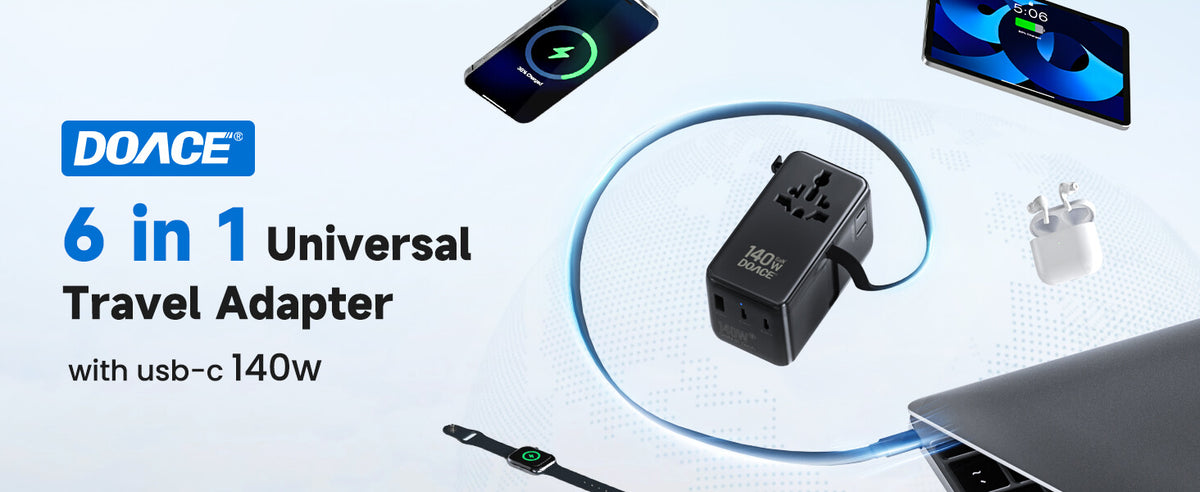
For families carrying a laptop plus several phones, tablets, cameras, or gaming devices, the DOACE 140W GaN Travel Adapter is the strongest fit because the family problem is shared USB-C headroom. It gives more room for a laptop or handheld while still charging smaller devices.
What Not to Bring
- A US-only hair dryer, kettle, rice cooker, or steamer for a normal family trip.
- A heavy voltage converter when every device label already says 100-240V.
- Unrated USB-C cables for laptops or gaming handhelds.
- A surge-protected power strip for a cruise cabin.
- Six single-purpose adapters with no charging schedule.
Common Mistakes
- Mistake 1: treating every port equally. A laptop or handheld needs a stronger port than earbuds.
- Mistake 2: letting entertainment devices win the overnight slot. Navigation phones and boarding-pass phones should stay ready.
- Mistake 3: packing heat appliances casually. High-watt devices need a different decision path.
- Mistake 4: forgetting cables. A good adapter cannot fix a missing or low-rated cable.
- Mistake 5: building adapter chains. If the setup looks like a stack, simplify it.
FAQ
Can one adapter charge a whole family?
Yes for most USB and wide-voltage devices if the adapter has enough total wattage and ports. High-watt appliances are a separate decision.
How many plug adapters should a family bring?
One main multi-port travel adapter plus one simple backup adapter is a practical setup for many hotel rooms.
Do kids' tablets need voltage converters?
Usually no. Most tablet chargers are 100-240V, but check the charger label before travel.
Can we charge a laptop and phones together?
Yes, if the adapter has enough shared output and the laptop receives the strongest USB-C port.
Should a family bring a power strip?
Only if the hotel or cruise policy allows it. A compact GaN adapter is usually cleaner and safer for normal USB charging.
What if the hotel has only one convenient outlet?
Use a schedule: laptop or handheld first, phones next, tablets and camera batteries in rotation. Do not stack heavy adapters in a loose outlet.
Which DOACE adapter is best for a family?
For families with a laptop or gaming handheld, the 140W GaN model gives the most comfortable headroom. Smaller phone/tablet-only families may be fine with less power.
When would a family need a voltage converter?
Only for a specific single-voltage device, such as a 120V-only appliance. Do not buy a converter just because phones, tablets, or laptops are traveling.
This article is for informational purposes only. Always verify your exact device label, lodging rules, cruise line policy, and DOACE product specifications before using electrical equipment abroad.


