

The tiny label on a charger, power brick, CPAP supply, shaver base, or hair tool is the best travel power decision tool you already own. It tells you whether the device can accept the electricity at your destination, whether you only need plug-shape help, and whether a voltage converter is even a reasonable option.
The trap is that travelers often read the wrong line. INPUT is the wall-power side. OUTPUT is what the charger sends to your phone, laptop, CPAP machine, camera battery, or other device after conversion. A charger may output 5V, 20V, or 24V DC while still accepting 100-240V AC from the wall. For international travel, start with INPUT every time.
Before You Buy Anything: Use the DOACE 4-Check
A label is step one, not the whole decision. Use these four checks before buying a travel adapter, voltage converter, or replacement power supply.
1. Shape
Does your plug physically match the outlet? If not, you need a plug adapter, a local cord, or a travel adapter. Shape does not solve voltage.
2. Voltage
Does INPUT cover the destination voltage? 100-240V is usually worldwide. 120V-only is not safe in 220-240V countries without conversion.
3. Load
Is it a charger, motor, pump, heat tool, medical device, or kitchen appliance? Load type decides whether conversion is appropriate.
4. Use Case
Is it a short hotel trip, cruise, Airbnb, work trip, or overnight medical use? The higher the failure cost, the less you should guess.
How to Read the INPUT Line
Look for words like INPUT, I/P, AC Input, or Input Rating. On a laptop or CPAP machine, the label is often on the external power brick. On a hair dryer, curling iron, toothbrush charger, or coffee maker, the label may be on the handle, base, underside, or plug end.
| Label field | Example | What it means for travel | Decision impact |
|---|---|---|---|
| INPUT voltage | 100-240V | The power supply accepts common low- and high-voltage systems. | Usually adapter-only if plug shape differs. |
| INPUT voltage | 120V / 110-120V / 125V | North America-style single-voltage input. | Needs converter checking in 220-240V destinations. |
| Frequency | 50/60Hz | Accepts both common frequency families. | Usually fine for chargers; still check motors and pumps. |
| Current | 1.5A | Input current draw. It can help estimate watts. | Use W = V x A when no watt rating is printed. |
| Power | 65W / 90W / 1875W | Total power demand or rated power. | Converter must exceed this, with headroom. |
| AC symbol | ~ or AC | Alternating current from the wall. | This is the side that matters for outlets. |
| DC output | 5V ⎓ 3A / 20V DC | Low-voltage output after the charger has already converted power. | Useful for device charging, not for wall-voltage compatibility. |
Figure 1: The INPUT voltage line is the fastest clue. Wattage and load type decide the converter route only after voltage is known.
Why OUTPUT Is Usually the Wrong Line for Travel Voltage
A USB-C laptop charger might say OUTPUT: 20V 3.25A. A phone charger might say OUTPUT: 5V 3A. A CPAP power supply might output 24V DC. Those numbers describe what the power supply sends to the device after it has already dealt with the wall power. They do not tell you whether the charger itself can accept 230V in Europe or 240V in Australia.
The safe travel question is: what can the power supply accept from the wall? That is the INPUT line. Apple states that its USB power adapters are designed for 100V AC to 240V AC at 50Hz to 60Hz. Dell gives similar travel guidance for many laptop AC adapters: check the back of the adapter and confirm the input voltage range. These are power-supply facts, not phone or laptop battery facts.
A 60-Second Label Reading Walkthrough
Here is the practical way to check a device before a trip. First, unplug the charger or device so you can safely turn it over. Second, find the smallest printed rating block. It may be gray-on-black or embossed into plastic, so use your phone camera and zoom if needed. Third, ignore brand slogans such as “travel size,” “universal,” or “worldwide” until you find the actual INPUT line. Fourth, copy the input voltage, frequency, and wattage or amperage into a packing note.
That packing note can be very simple. For each item, write the device name, the input label, the plug type, and the route: adapter-only, converter-check, local cord, local version, or do not bring. This is especially useful for family trips because one person may pack phones and laptops while another packs hair tools, toothbrush chargers, a white-noise machine, or a CPAP setup. The answer for the phone charger does not automatically cover the curling iron.
If the device uses a detachable power supply, check the power supply, not only the device body. If the device plugs directly into the wall, check the device itself. If the device has both a power brick and a detachable AC cord, the brick usually determines voltage compatibility, while the cord or plug determines physical outlet fit. For many computer monitors and desktop power supplies, a local IEC cord can be cleaner than stacking adapters.
| Step | What to do | Good sign | Stop sign |
|---|---|---|---|
| 1 | Find INPUT, I/P, or AC Input. | Clearly printed voltage range. | Only OUTPUT is visible. |
| 2 | Compare the voltage range with the destination. | 100-240V or 100-250V. | 120V-only in a 220-240V destination. |
| 3 | Check frequency. | 50/60Hz on chargers and electronics. | 60Hz-only on motors, pumps, clocks, or older devices. |
| 4 | Find watts or calculate from amps. | Wattage comfortably below converter rating. | High heat load, startup surge, or unknown rating. |
| 5 | Read manual restrictions for high-risk devices. | Manual allows international use or converter use. | Manual warns against converters or voltage adapters. |
The Four Labels You Will Actually See
| What the label says | Plain-English meaning | Common travel answer | What to check next |
|---|---|---|---|
| INPUT: 100-240V, 50/60Hz | Wide-voltage power supply. | Plug adapter or GaN travel adapter if plug shape differs. | USB-C output, grounded plug needs, number of devices. |
| INPUT: 100-250V | Wide range, usually travel-friendly. | Usually adapter-only. | Manual, plug shape, device load. |
| INPUT: 120V, 60Hz | North America single-voltage device. | Converter check in 220-240V destinations. | Watts, load type, runtime, manual restrictions. |
| INPUT: 100-127V only | Low-voltage-only device. | May work in low-voltage countries; not safe in 220-240V countries without conversion. | Destination voltage table. |
| INPUT: 220-240V only | High-voltage-only device. | Not for U.S./Canada/Japan low-voltage outlets without a step-up solution. | Consider local version instead. |
| Dual voltage with 120/240 switch | May support both, but only if the switch is set correctly. | Set the switch before plugging in. | Manual and destination voltage. |
| No readable INPUT | Unknown compatibility. | Do not guess. | Find the exact model manual or leave it home. |
Real Label Examples and What They Mean
The examples below are not a promise for every brand or model. They show how to reason from the label. Always check your exact item.
| Example device | Example INPUT label | Likely verdict | Reason |
|---|---|---|---|
| iPhone or iPad charger | 100-240V, 50-60Hz | Adapter-only | The charger accepts common worldwide wall voltage; plug shape is the main issue. |
| MacBook or Dell laptop adapter | 100-240V, 50-60Hz | Adapter-only | The AC adapter is usually the worldwide power supply; choose enough USB-C output if replacing it. |
| Camera battery charger | 100-240V, 50/60Hz | Adapter-only if original charger | Many original chargers are wide-voltage, but third-party chargers vary. |
| Modern CPAP power supply | 100-240V, 50-60Hz | Often adapter-only | The power supply may be worldwide, but CPAP needs a backup-minded check. |
| Electric toothbrush base | 120V, 60Hz | Converter-check or leave home | Check the charging base label, not the toothbrush handle. |
| Dual-voltage travel flat iron | 100-240V or switchable 120/240V | Adapter-only if correctly set | A manual switch must be set before plugging in. |
| U.S. hair dryer | 120V, 1875W | High-watt converter-check or local dryer | High heat load; not all hair dryers or designs are converter-friendly. |
| Coffee maker | 120V, 12A | Usually do not bring | High draw, long heat cycles, bulky appliance, easy local alternative. |
Step Two: Match the Label to the Destination
A label only becomes useful when compared with the destination. U.S. travelers are used to roughly 120V / 60Hz power. Much of Europe, the UK, Australia, India, Singapore, China, and many other destinations use 220-240V. Japan is closer to U.S. voltage, but frequency differs by region. Brazil and a few other places can have regional voltage differences. This is why a country table matters after the label check.
If the device says 100-240V, the destination voltage usually falls inside the device range. Your remaining issue is plug shape, outlet access, and charging convenience. If the device says 120V only and the destination is 230V, the destination voltage sits outside the accepted input range. That is when a voltage converter might be considered, but only after wattage and load checks.
The reverse can also happen. If you buy a 220-240V-only device overseas and bring it back to the U.S., a simple plug adapter will not make a 120V outlet behave like a 230V supply. That is a step-up problem, not the usual U.S.-traveler step-down problem. For most short trips, a local device or the official international version is usually easier than building a conversion setup around a single appliance.
If the Label Says 100-240V
A 100-240V INPUT range means the power supply is designed to accept both lower-voltage regions, such as the U.S. and Canada, and higher-voltage regions, such as much of Europe, the UK, Australia, India, and many other destinations. It usually does not need a voltage converter.

A wide-voltage INPUT label usually means the device power supply can handle common destination voltages. You still need the correct plug shape.
This is common on phone chargers, tablet chargers, many laptop adapters, camera battery chargers, USB-C GaN chargers, and many modern CPAP power supplies. For example, Dell tells travelers to confirm the AC adapter input range, and Apple says its USB power adapters are designed for 100V AC to 240V AC at 50Hz to 60Hz.
Your buying decision shifts from voltage conversion to convenience: plug shape, USB-C output, number of ports, cable management, and whether you need 70W, 100W, or 140W charging. A GaN travel adapter is useful here, but it is still an adapter and charger. It does not convert the AC voltage at its universal AC socket.
If the Label Says 120V Only
A 120V-only label changes the conversation. If you are traveling from the U.S. to a 220-240V country, a plug adapter alone can let the plug fit while sending too much voltage into the device. That is how hair tools, shaver bases, coffee makers, and small appliances get damaged.
Do not stop at “I need a converter.” Check three more things: wattage, load type, and the manual. A 60W curling iron, a 350W sensitive electronic device, a 900W appliance, and a 1875W hair dryer do not belong in one bucket. Some can be converted if compatible. Some should use a different product. Some are better left at home.
How to estimate watts if the label only shows amps
Use the input side of the label: Watts = Volts x Amps. If a 120V device says 2A, that is roughly 240W. If it says 12A, that is roughly 1440W. Add headroom because motors and heat appliances may draw more at startup or during sustained use.
What about 50Hz and 60Hz?
Many modern chargers handle 50/60Hz automatically. Frequency matters more for AC motors, pumps, clocks, turntables, some older devices, and timing-sensitive equipment. If your label says 60Hz only and the device has a motor or pump, do not assume a voltage converter solves everything. For deeper background, read DOACE's 110V, 220V, 50Hz, and 60Hz guide.
Device Route Matrix
The same destination can require different answers for different items in the same suitcase. Read each label separately.
| Device | Common label pattern | Usual route | DOACE path | Watch out for |
|---|---|---|---|---|
| Phone / tablet charger | Often 100-240V | Adapter-only | 70W, 100W, or 140W GaN based on charging needs | Cheap unknown chargers |
| Laptop charger | Often 100-240V | Adapter-only | 100W or 140W GaN for USB-C laptops when output fits | Output wattage too low for full-speed charging |
| Camera / drone battery charger | Often 100-240V, but not always | Check charger brick | GaN route if wide-voltage | Third-party chargers |
| CPAP power supply | Many modern supplies are 100-240V | Often adapter-only, but verify the exact PSU | LC-X35 only if conversion is truly needed and allowed | Medical backup, humidifier, heated tube |
| Electric toothbrush / shaver base | Mixed: 100-240V or 120V-only | Check the base, not only the handle | Adapter-only or converter-check | Low watts do not guarantee compatibility |
| Curling iron / flat iron | Dual-voltage or 120V-only | Adapter-only if dual-voltage; converter/local version if not | LC-X80 or C15 only if compatible | Manual switch, electronic temperature control |
| Hair dryer | Often 120V-only, high wattage | Usually local version or compatible high-watt converter | C15 only for compatible traditional devices | Dyson and complex tools may not be converter-friendly |
| Game console / handheld | Power supply often wide-voltage | Check power brick | GaN for USB-C handhelds if output fits | Dock and third-party charger differences |
| Kettle / coffee maker / rice cooker | Usually 120V-only and high wattage | Usually do not bring | Local appliance is often better | Long heat cycles and high draw |
Figure 2: Most travel electronics are adapter-only after a 100-240V label check. Heat, motors, medical use, and unclear labels need a stricter route.
Why a Simple Voltage Checker Is Not Enough
Voltage checker tools are useful, but they usually ask for a device label and a destination, then return a simple verdict. That is a good start. The missing layer is the device itself. A 120V-only hair dryer, a 120V-only toothbrush base, and a 120V-only medical device are not the same travel problem, even if the voltage mismatch looks identical.
A converter can change voltage, but it does not rewrite the product manual. It does not make an electronically controlled heat tool safe if the manufacturer says not to use converters. It does not make a high-watt appliance pleasant to carry. It does not remove cruise or hotel restrictions. And it does not create a backup plan for equipment you rely on overnight.
This is why DOACE separates the answer into adapter-only, converter-check, sensitive converter-check, local cord, local version, and no-go. A short answer may be convenient, but a safe answer has to preserve those branches.
How to Think About Headroom
If a device needs conversion and the manual allows it, converter capacity must exceed the device's input demand. A converter rated for the same number as the device is not a comfortable match. Heat devices can cycle. Motors can draw more at startup. Some devices run continuously, which is harder on a converter than a quick styling pass.
For a low-power charger or small grooming device, the wattage number may look harmless, but the load type still matters. For a 1440W coffee maker or 1875W hair dryer, the wattage is already near the upper edge of portable travel conversion. For a 2000W+ appliance, large space heater, high-output kettle, or professional salon tool, the better answer is usually not to travel with it.
Use the printed input wattage when available. If the label shows amps, calculate from the input voltage. A device marked 120V and 15A is about 1800W. A device marked 120V and 0.5A is about 60W. Then add the real-world question: what is the device doing with that power?
Sensitive Devices and Pure Sine Wave
Only think about waveform after you have already confirmed that voltage conversion is needed. If a device is wide-voltage, a converter is usually not part of the route. If a device is single-voltage, wattage fits, the manual allows conversion, and the device is sensitive or used for a long time, then a cleaner waveform can matter.
Examples that deserve extra caution include CPAP or other medical power supplies, audio gear, camera or battery charging setups, and devices with motors or electronic controls. That does not mean every one of them needs a converter. It means you should not treat them like a simple travel hair dryer.

Pure sine wave output more closely resembles utility AC power. Use this route only when voltage conversion is required and the device/manual allows it.
Figure 3: A smooth sine waveform is different from a stepped modified sine wave. Sensitive devices require a manual-based decision, not a guess.
Manual and Model Number Checks
If the label is unclear, use the exact model number. The model number may be on the same label block, on a battery compartment, under a removable base, or printed near the cord. Search the manufacturer's manual or specification sheet, not just marketplace listings. Marketplace descriptions can be incomplete, copied from another model, or written for a different regional version.
This matters most for device families where models look similar. One flat iron may be dual-voltage while another version is 120V-only. One shaver charger may accept 100-240V while a replacement base sold in the U.S. is 120V-only. A CPAP machine may have one power supply for home use and another DC or travel accessory. A laptop may support USB-C charging, but only above a certain wattage.
When the official manual and the device label disagree, do not improvise. Use the more restrictive answer until you confirm with the manufacturer. The cost of a mistake is higher than the cost of a local cord, replacement charger, or leaving one device home.
Local Cord, Local Charger, or Adapter?
Sometimes the cleanest travel answer is not a universal adapter. If a laptop power brick says 100-240V and uses a detachable AC cord, a local cord can plug directly into the destination outlet. If a camera charger is wide-voltage but has a bulky U.S. plug, a compact plug adapter may be enough. If your whole kit is USB-C and wide-voltage, a GaN adapter can replace several small chargers.
The local-cord route is especially useful for longer stays, study abroad, remote work, and office setups. It reduces stacked adapters and makes a desk cleaner. The adapter route is better for short multi-country trips where outlet types change. The converter route is only for devices whose input range does not match the destination and whose load type can safely be converted.
Packing Checklist by Device Type
| Pack item | Check before leaving | Write in your note | Likely DOACE route |
|---|---|---|---|
| Phone and tablet | Charger INPUT and USB-C output | 100-240V, watts needed, plug type | 70W/100W/140W GaN |
| Laptop | Power brick INPUT and charging wattage | 100-240V, 65W/96W/140W need | 100W or 140W GaN if compatible |
| Camera / drone | Original charger input and battery schedule | charger model and input range | GaN if wide-voltage |
| CPAP | Exact PSU, humidifier, heated tube, backup plan | input range, watts, manual notes | Adapter-only or LC-X35 only if conversion is required and allowed |
| Hair tools | Voltage, switch, watts, manufacturer warnings | dual-voltage or 120V-only, wattage | C15/LC-X80 only after compatibility checks |
| Kitchen appliances | Wattage, runtime, local availability | usually leave home | Usually no purchase; local appliance |
DOACE Product Routes After You Read the Label
The right product depends on the label and the device. Start with the no-converter answer first: many travelers only need a better adapter and USB-C charging setup.

DOACE 70W GaN Travel Adapter
Best for: phone, tablet, earbuds, camera battery charger, and light USB-C laptop travel when device labels say 100-240V.
Not for: 120V-only appliances, hair dryers, or any device that needs AC voltage conversion.
Why: It solves plug shape and compact charging, not voltage conversion.
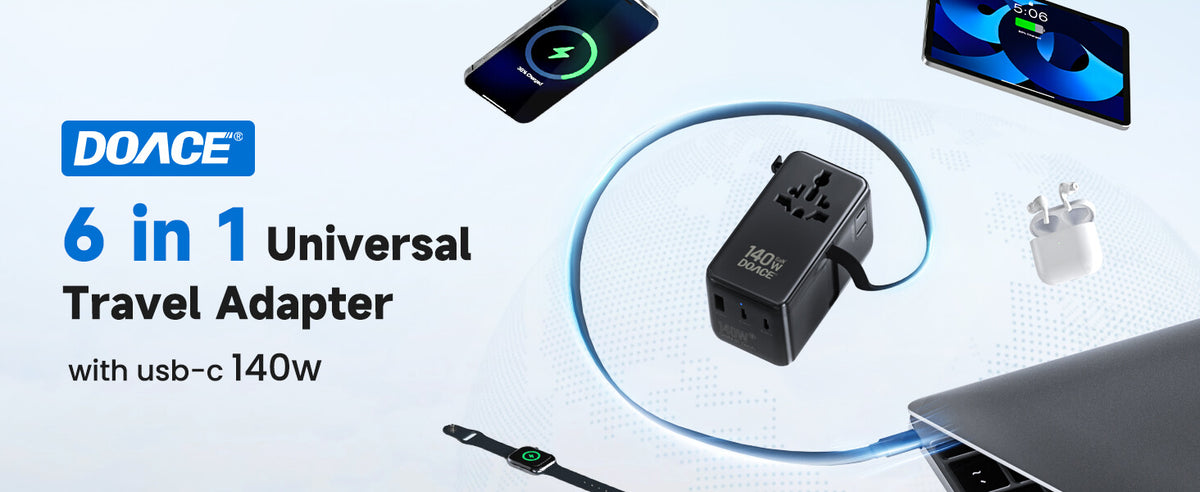
DOACE 140W GaN Travel Adapter
Best for: wide-voltage USB-C laptop users, photographers, business travelers, and families who need higher charging output.
Not for: single-voltage 120V appliances. Higher USB-C wattage is not AC voltage conversion.
Why: It is a stronger adapter route when the label already clears the voltage question.

DOACE LC-X35 Pure Sine Wave Converter
Best for: compatible single-voltage devices that need step-down conversion and benefit from cleaner waveform after manual and wattage checks.
Not for: devices that are already 100-240V, manufacturer-prohibited devices, unknown labels, or high-watt appliances.
Why: It belongs in the sensitive-device converter route, not the adapter-only route.

DOACE LC-X80 Travel Voltage Converter
Best for: compatible single-voltage devices that need more capacity than a small converter route.
Not for: Dyson-style high-risk tools, unclear labels, prohibited devices, or appliances that exceed rating or runtime guidance.
Why: It is a converter-check option after voltage, wattage, load, and manual checks.
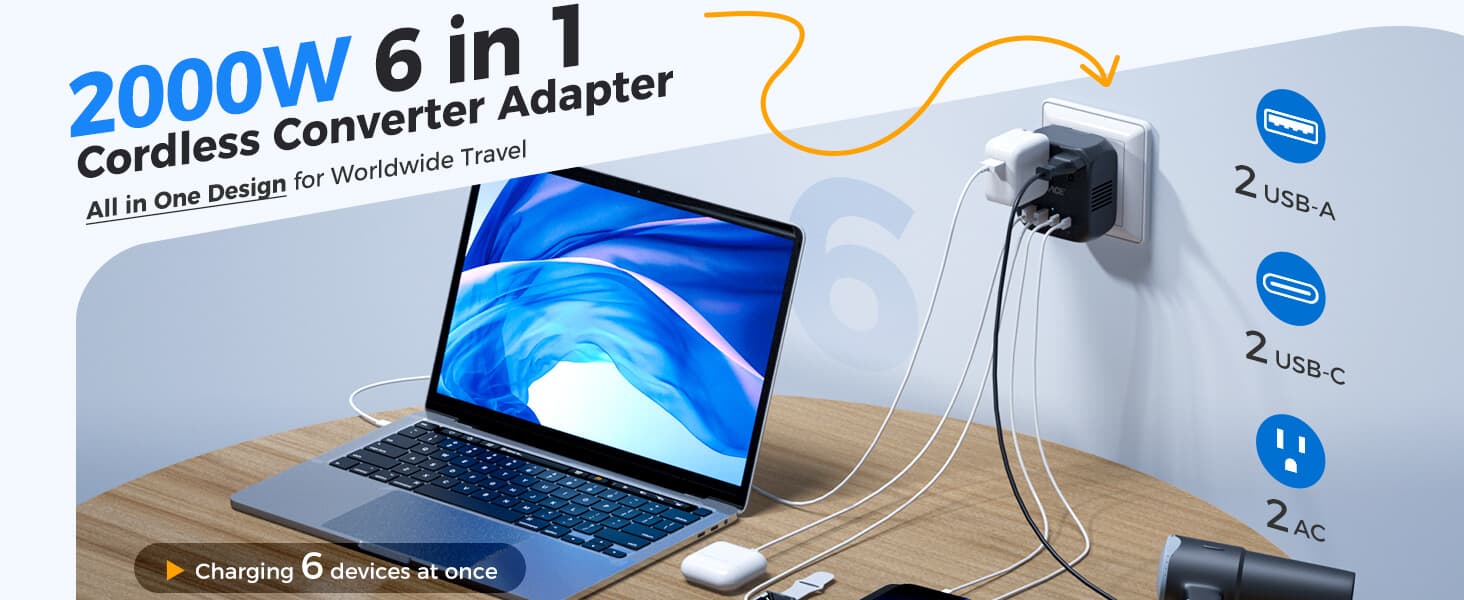
DOACE C15 2000W Voltage Converter
Best for: compatible traditional high-watt travel appliances when the label and manual support converter use.
Not for: unknown labels, complex electronic temperature control, manufacturer-prohibited devices, and anything over rating.
Why: Wattage capacity matters, but device compatibility still comes first.

DOACE 100W GaN International Power Adapter
Best for: wide-voltage laptops and multi-device travel when 70W may be light but 140W is more than you need.
Not for: 120V-only appliance conversion or grounding creation.
Why: It is the middle GaN route for users whose labels already say 100-240V.
When Not to Buy a Converter
A trustworthy answer sometimes tells you not to buy anything. Do not buy a voltage converter when your device power supply already says 100-240V and you only need plug shape. Do not buy one when a local cord is cleaner, such as for many desktop monitors and computer power supplies with detachable IEC cords. Do not buy one when the label is unreadable and the model manual cannot be found.
Also avoid converter use when the manufacturer forbids it, the device is a complex electronic heat tool, the wattage exceeds the converter rating, the appliance runs hot for a long time, or the device is medically essential and you have not confirmed the setup. In those cases, a local-voltage version, rental, hotel appliance, or official international power supply may be safer.
After reading the label, use DOACE's country plug adapter guide and country voltage table to compare your device with the destination. If you still want a guided path, start with the DOACE Travel Power Finder.
Source Notes for Common Travel Devices
For phones and tablets, Apple publishes that its USB power adapters are designed for 100V AC to 240V AC at 50Hz to 60Hz. For laptops, Dell's travel guidance tells users to flip over the AC adapter and confirm the input voltage range. For CPAP travel, ResMed's AirSense 11 power supply listing describes a 65W PSU that can be used worldwide at 100-240V and 50-60Hz. These examples are useful because they show the pattern, but they do not replace your exact label.
For country voltage and plug shape, use references such as IEC World Plugs and WorldStandards, then cross-check with DOACE's travel pages. Country data tells you what the wall may provide. Your label tells you what the device can accept. The safe answer is where those two facts overlap.
Common Label Mistakes That Lead to Wrong Purchases
Mistake 1: Buying a converter for every trip to Europe
Europe's higher voltage makes many U.S. travelers nervous, but the destination alone does not decide the product. If every device in your bag says 100-240V, a voltage converter is usually unnecessary. You need plug-shape coverage and enough USB-C output. That is why a traveler with only phones, tablets, a laptop, camera batteries, and a wide-voltage CPAP supply may be better served by a compact GaN travel adapter than by a bulky converter.
Mistake 2: Trusting the word “universal” on the box
Universal can mean many things: universal plug input, universal outlet coverage, universal USB charging, or a multi-country adapter body. It does not automatically mean voltage conversion. If the product is a travel adapter, it usually changes shape. If it is a voltage converter, it should clearly state the input voltage, output voltage, wattage range, and usage limits. When comparing products, ask what electrical problem the product is solving: shape, voltage, charging output, or all of these in separate ports.
Mistake 3: Reading the label on the cable
A detachable cord may have its own rating, but the power supply or device still decides voltage compatibility. A laptop cord can be rated for a certain current and plug shape, while the brick accepts 100-240V. A monitor may use a detachable IEC cord, but the monitor's rear label decides whether it is wide-voltage. Read the power-consuming device or power brick, not just the cable jacket.
Mistake 4: Treating all hair tools as the same
Hair tools are one of the easiest categories to misjudge. Some travel flat irons are truly dual-voltage. Some have a tiny voltage selector switch. Some 120V-only curling irons are simple enough to evaluate by wattage and manual guidance. Others use complex electronic temperature control and should not be treated as ordinary resistive heat loads. A travel converter can be appropriate for some compatible tools, but it is not a license for every salon device.
Mistake 5: Assuming a device is safe because it is low wattage
Low wattage reduces one kind of converter stress, but it does not prove voltage or frequency compatibility. Toothbrush bases, shaver bases, small pumps, clock radios, and older chargers can be low-power yet still single-voltage or frequency-sensitive. If the label says only 120V, the device still needs a voltage answer. If the label says 60Hz only and the device has a motor or timing function, frequency deserves attention too.
Four Traveler Examples
Example 1: The laptop-and-phone traveler
A traveler going from the U.S. to France packs an iPhone charger, a MacBook USB-C charger, wireless earbuds, and a camera battery charger. Each charger says 100-240V. This traveler does not need a voltage converter for those chargers. The practical decision is plug shape and charging convenience: Type C/E/F outlet access, enough USB-C output for the laptop, and enough ports for the full kit. A 100W or 140W GaN route makes sense if the laptop needs higher charging output.
Example 2: The beauty-device traveler
Another traveler packs a phone charger that says 100-240V, a flat iron that says dual voltage with a 120/240 switch, and a favorite hair dryer labeled 120V 1875W. The phone charger is adapter-only. The flat iron may be adapter-only if the switch is set correctly and the manual allows use abroad. The hair dryer is a high-watt single-voltage appliance and needs a much stricter decision. Depending on the model, a compatible high-watt converter may be possible, but a hotel or local hair dryer may be safer and lighter.
Example 3: The CPAP traveler
A CPAP user checks the original power supply and finds 100-240V, 50-60Hz. That is good news, but the planning is not finished. They still need the correct plug shape, bedside outlet access, a backup plan, and any humidifier or heated tube considerations. If the user's exact setup ever required conversion, it would move into a medical/manual-based decision, not a casual converter purchase. For essential equipment, pack with redundancy rather than confidence alone.
Example 4: The long-stay remote worker
A remote worker staying in Spain for three months has a wide-voltage laptop brick, monitor, phone charger, and camera charger. Instead of stacking adapters everywhere, a local IEC cord for the monitor and laptop brick may be cleaner for the desk, while a GaN travel adapter covers mobile devices and weekend trips. This is not a converter problem. It is a cable, plug-shape, and workspace problem.
The Final Decision Tree in Plain English
If the label says 100-240V, ask: what plug shape and charging output do I need? If the label says 120V only, ask: is the destination voltage higher, what is the wattage, what kind of load is it, and does the manual allow converter use? If the label is unreadable, ask: can I find the official model specification? If the answer is no, do not test it in a foreign outlet. If the device is high-watt, medically important, electronically controlled, or prohibited by the manual, the most responsible answer may be local replacement, rental, or leaving it home.
This decision tree protects both sides of the mistake. It keeps wide-voltage travelers from buying converters they do not need, and it keeps single-voltage travelers from trusting a plug adapter that only changes shape. That is the whole reason to read the label before you pack.
Boundary Review Before You Plug In
Before the first use abroad, repeat the label check in the room where you will actually plug in. Hotel rooms, cruise cabins, trains, airports, and older buildings can have awkward outlet placement, switched outlets, worn receptacles, bathroom shaver sockets, or power-limited convenience outlets. A device can be electrically compatible and still be a poor fit for the physical location. Do not run high-power appliances from a loose outlet, a bathroom shaver-only outlet, or a daisy chain of adapters.
For shared family gear, label the chargers after you check them. A small piece of tape that says “100-240V adapter-only” or “120V only, do not use abroad” can prevent someone else from grabbing the wrong item. This is especially helpful when two chargers look similar but have different regional ratings. The safest travel setup is not the one with the most accessories; it is the one where every person knows which devices are wide-voltage, which need special handling, and which should stay unplugged.
One final habit helps: photograph each label before packing. If a hotel outlet, airport lounge, or rental apartment situation feels uncertain, you can compare the photo with the destination voltage table instead of relying on memory. A clear label photo also makes it easier to ask the device manufacturer or DOACE support a precise question. It turns a vague “will this work?” into a concrete model, input, wattage, destination, runtime, frequency, plug shape, and load-type check.
Frequently Asked Questions
Does 100-240V mean I do not need anything?
It usually means you do not need a voltage converter. You may still need a plug adapter, local cord, or GaN adapter so your plug fits and your USB-C devices charge at the output you expect.
Can I ignore OUTPUT completely?
Do not ignore it for charging performance, but do not use it to decide wall-voltage compatibility. INPUT decides whether the charger can accept the outlet voltage. OUTPUT decides what the charger sends to your device.
What if my label only says 120V?
Treat it as a single-voltage device. If your destination uses 220-240V, a plug adapter alone is not enough. Check wattage, load type, manual restrictions, and whether a local version is smarter.
What if my device has a 120V/240V switch?
Set the switch to the destination voltage before plugging in. A dual-voltage switch only helps if it is set correctly. Check the manual before travel.
Does Hz matter for phone and laptop chargers?
Most modern chargers labeled 50/60Hz handle common worldwide frequencies. Frequency deserves more caution for motors, pumps, clocks, turntables, and older equipment.
Can I use a U.S. power strip if all devices are 100-240V?
Be careful. A U.S. power strip may include surge protection, a switch, or internal components designed for 120V. Read DOACE's U.S. power strip into a travel adapter guide before doing this abroad.
Are CPAP machines usually dual voltage?
Many modern CPAP power supplies are wide-voltage, and ResMed's AirSense 11 PSU is one example. Still, CPAP is high-stakes equipment. Check the exact power supply, humidifier, heated tube, airline/hotel needs, and backup plan.
Can a converter make any 120V hair tool work in Europe?
No. Converter wattage is only one requirement. Electronic temperature control, manufacturer restrictions, Dyson-style designs, startup draw, and runtime can make a tool unsuitable for travel conversion.
What if the label is too small to read?
Use your phone camera and zoom in. If that still does not work, search the exact model number and official manual. If you cannot verify the INPUT rating, do not test the device abroad.
Is a GaN travel adapter a voltage converter?
No. A GaN travel adapter is excellent for compact charging and plug-shape adaptation when your devices are wide-voltage. It does not make a 120V-only appliance safe in a 230V outlet.
Which DOACE product should I choose after reading the label?
If all devices say 100-240V, choose a GaN adapter by charging output. If a device says 120V only, choose only after checking wattage, load type, manual restrictions, and destination voltage. Sensitive or high-watt routes require stricter compatibility checks.
Key Takeaways
INPUT firstDestination secondLoad thirdUse case fourth
A 100-240V INPUT label usually sends you toward a plug adapter or GaN travel adapter. A 120V-only label sends you into converter sizing and compatibility checks. OUTPUT tells you what the charger sends to the device, not what the charger can safely receive from the wall. When the label is unclear, the device is critical, or the manual says no, the safest answer is not to guess.


